
Ideas
3D Synth
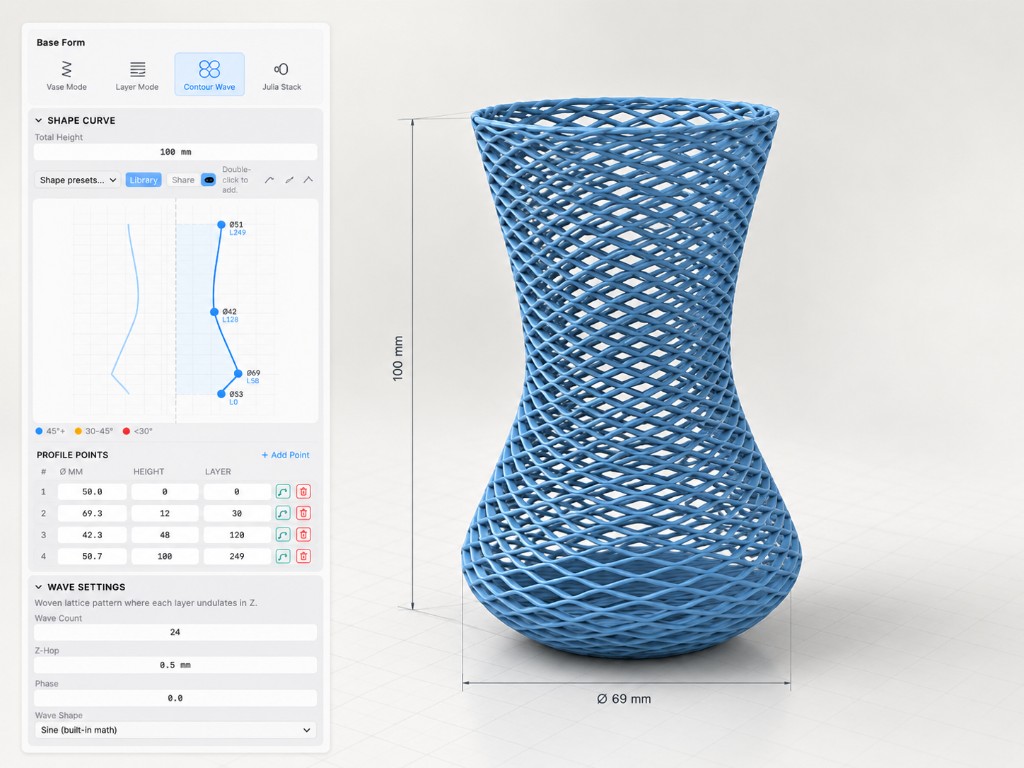
3D Synth is a tool for designing and exploring freer 3D-print toolpaths, treating the Z-axis as a full movement axis rather than only a step between horizontal layers.
Beyond layer by layer
Conventional slicers are very good at one dominant model: divide a part into horizontal layers and print those layers one by one.
That works for most FDM printing. At the same time, the workflow strongly determines which toolpaths are easy to create.
3D Synth starts from a different question: what becomes possible when Z can move continuously during printing and becomes part of the path itself?
Toolpaths as design material
I did not want to rewrite scripts for every experiment or set up a heavy specialist workflow each time.
So I built an environment where shapes, parameters and movements can be changed quickly and viewed directly as toolpaths.
That makes the tool less like a conventional slicer and more like a playground for path generation, where geometry, movement and print strategy can be explored together.
From experiment to product
The technical origin still matters, but 3D Synth now stands on its own enough to be treated as a product.
On 3dsynth.app the focus is the application itself: what it does, how it works and how to experiment with it. On Kubuz I want to preserve the technical development, design decisions and lessons behind it.
The two therefore belong together, but serve different roles.
What I want to explore next
Non-planar movement also introduces new problems: collision control, layer bonding, surface quality, print time, and an interface that provides enough freedom without turning everything into a programming problem.
Those are exactly the questions 3D Synth exists to explore.