
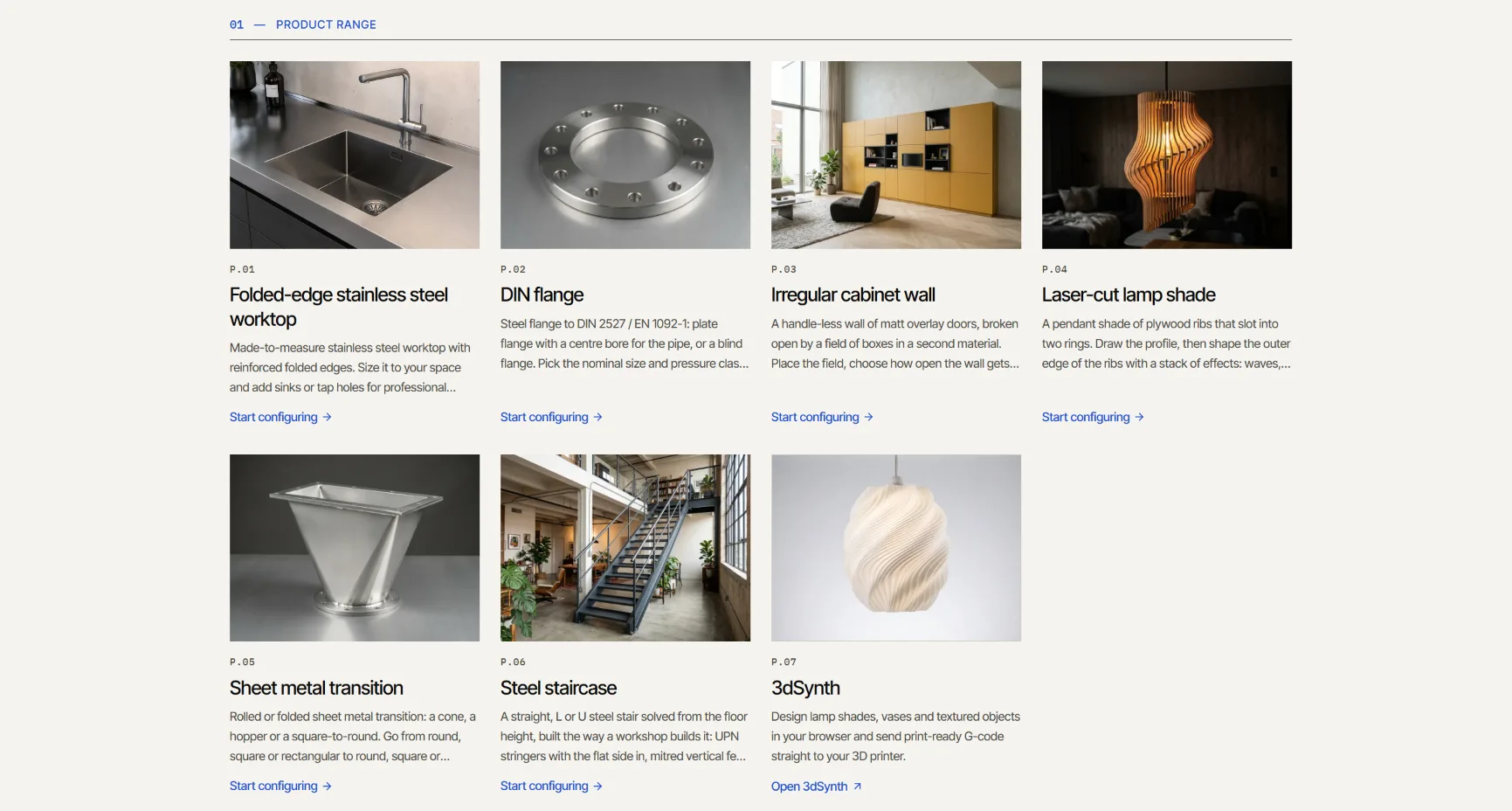
Over the past weeks I built a set of product configurators on top of the kernel. They run at showcase.kubuz.net. There are six of them for now: a stainless steel worktop with folded edges, a DIN flange, a laser-cut lamp shade, a sheet metal transition, a steel staircase and an irregular cabinet wall.
They are deliberately different from each other. Some are folded sheet metal. Some are profiles. One is mostly wooden panels. That was the point. I wanted to see whether one small fabrication language could carry very different products, or whether every new product would force me back into the kernel.
This article is about what I learned from that.
Three layers, one browser tab
In part 2 I described the architecture as:
product meaning → fabrication intent → geometry
The showcase is the first place where all three layers actually work together.
Kubuz CPQ holds the product: its parameters, its rules, its options and its price. It turns a configuration into a fabrication programme in JSON. The kernel evaluates that programme in the browser through WebAssembly.
There is no CAD application in the background. No server rebuilding a model. When you change a value, the rules run, the programme is regenerated and the kernel evaluates it again. Geometry, parts list, weight and price follow.
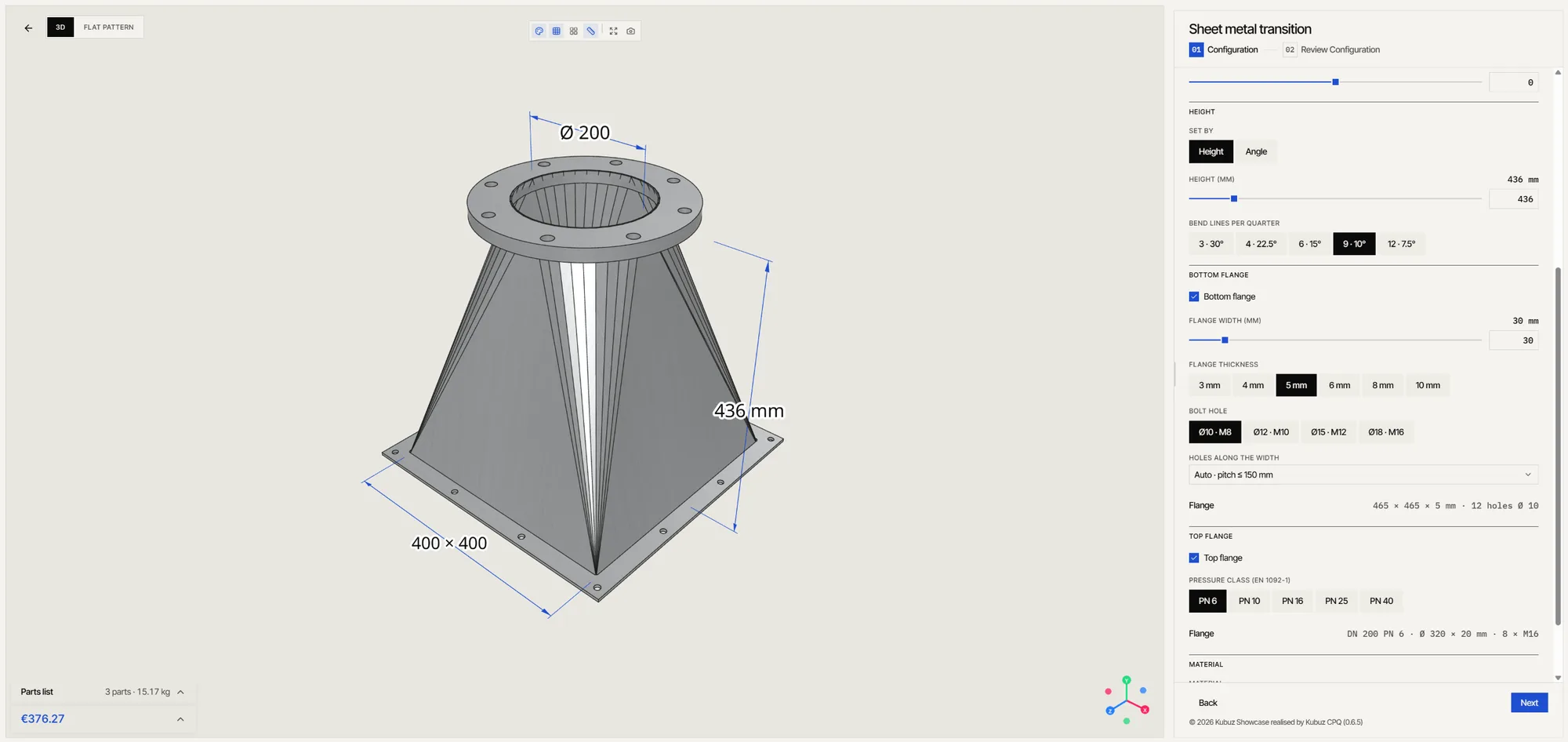
That is the speed I was after when I started. Not a render that looks fast, but a product that recalculates fast.
The staircase
The staircase is the most demanding product in the showcase, and the one I am proudest of.
You give it a floor-to-floor height. It solves the steps from that: rise, going, pitch, and the 2 × rise + going check. You choose straight, L or U. And then it builds the stair the way a workshop builds it.
UPN stringers with the flat side in. Mitred vertical feet on base plates. Plumb-cut tops with bolted end plates. A mitred landing frame on columns. Posts on the flange, handrails with knee rails through slotted posts or vertical bars at equal gaps. Gratings, folded treads or oak.
For the default L-stair that comes to 17 risers, 167 bars to saw, 21 plates, 112 holes and slots and 16 sheets to cut. The configurator gives it an article code and prices it from its cut lists.
Two things happen underneath that matter more than the 3D view.
The kernel checks every part for collisions. If a post runs into a stringer, it knows.
And the CPQ checks every figure against EN ISO 14122-3 or the Belgian rules for workplaces, public buildings and homes, with the clause behind each warning. You can allow deviations, but then the configurator tells you the result may not comply.
That second part is not geometry. It is product knowledge. And it turned out to be the larger part of the work.
The irregular cabinet wall
The cabinet wall is the opposite of the staircase. No norms, no steel. A handle-less wall of matt doors, broken open by a field of boxes in a second material.
You decide where the wall opens up, how open it gets and a design number. The configurator lays out the irregular grid, the stepped silhouette, the boxes, their depths and shelves. The default wall comes out at 154 plates to cut, 14 doors and 9 open boxes.
What I like about this one is the design number. Change it and you get a different wall. Go back to the same number and you get exactly the same wall again. It looks generative, but it is deterministic. Every variation is reproducible, can be priced and can be made.
And it runs on the same kernel as the staircase. A plate is a plate, whether it is laser-cut steel or a lacquered wooden panel.
The design was inspired by the work of Filip Janssens (filipjanssens.be). Credit for the idea goes to him.
Where AI fits in
I build these products with AI agents. But the agent is not where it starts.
Every product starts with research. For the staircase that meant the norms first: EN ISO 14122-3 for machine access, the Belgian rules for workplaces, public buildings and homes. Then materials and profiles: which UPN sizes, which plate thicknesses, gratings, folded treads or oak. Then construction: how a workshop actually builds a stair, where it saws, where it welds, where it bolts. And then shape: straight, L, U, landings, how a handrail turns a corner.
All of that goes into one extended document. Not a prompt, but a real description of the product.
Then the conversation starts. I use AI to sharpen that document. It asks me a lot of questions: what happens at the top of the stair, how are the posts fixed, what if the width changes, which rule wins when two of them conflict. And I ask it a lot back. Where is this figure from? What does the norm actually say here? What would a fabricator do differently?
That goes back and forth until there is a deep understanding of the product. Only then do I run the first agent to build it.
And the first version is never the final one. I look at it in the browser, check the figures, find what is wrong, and iterate. Often that takes many rounds.
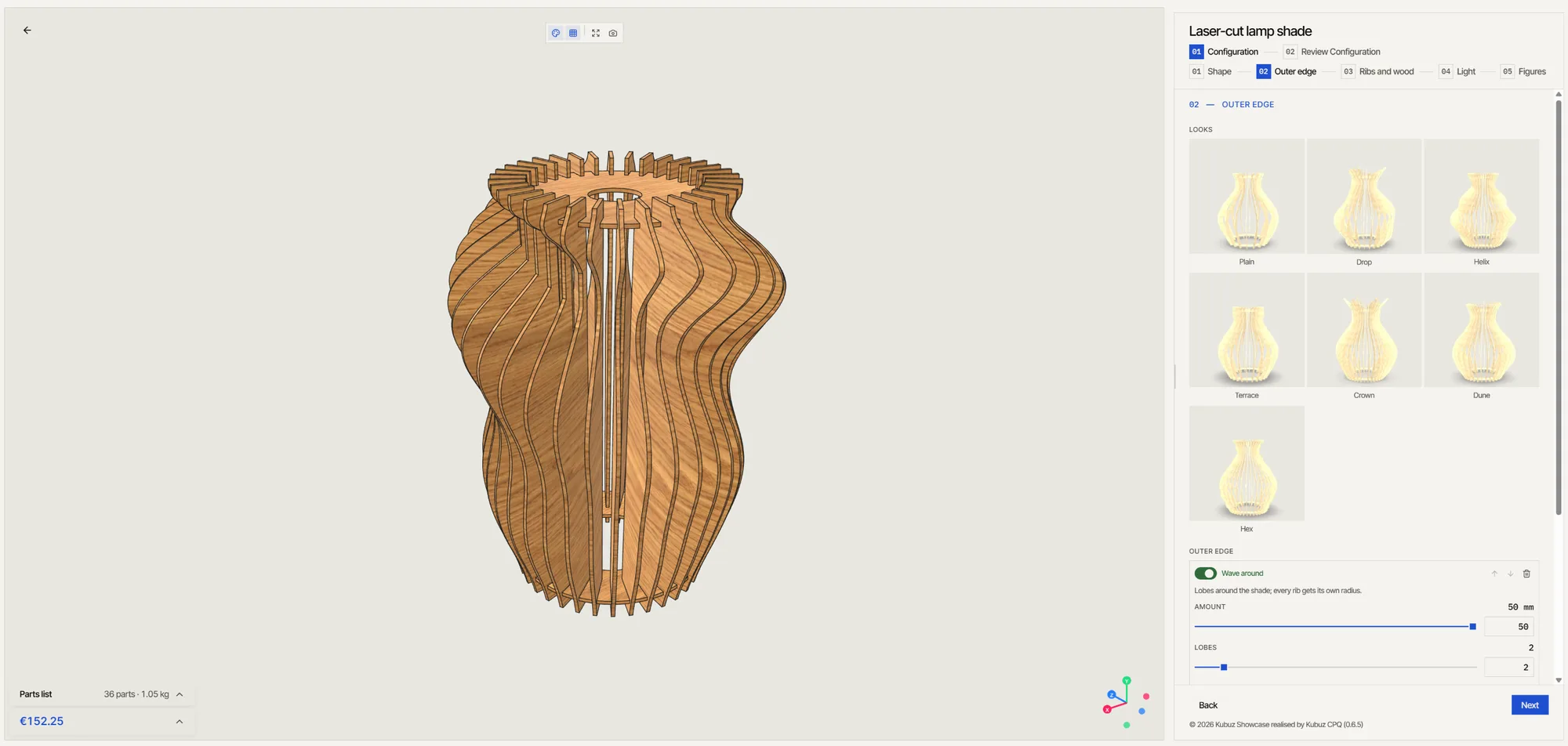
This is where the small language from part 2 pays off.
The agent does not have to compute a sheet metal development or the length of a mitred stringer. It writes things like add a flange on this edge or this profile ends in a mitre at this angle. The kernel does the geometry, and that part stays deterministic.
Because the kernel can now answer questions about its own result, the agent also gets something back it can act on. Do parts collide? Do two ends meet? Does a sheet fold into itself?
change the programme → evaluate → check → correct
But the most important part happens before the agent writes a single line. The AI did not know that a workshop puts the flat side of a UPN on the inside. It did not know which clause limits the rise of a stair, or that a 900 mm wide stair already raises a flag for machine access. That knowledge came from the research, from years of drawing these kinds of products, and from the long conversation that turned it into a document the agent could work from.
An agent that writes JSON without that knowledge produces something that looks like a staircase. An agent working from a deep description of the product produces a staircase that can be built.
So the division of work from part 2 still holds, with one layer added:
- product knowledge decides what is allowed, how it is made and what it costs
- the agent helps write and change the product
- the kernel turns it into geometry and checks it
None of the three is enough on its own.
What is not there yet
The showcase is a showcase. Prices are illustrative. On a slow connection, the 3D model takes longer to load than I want, although once it is loaded, every change recalculates almost instantly. And none of these products have been through a real workshop yet.
That last one is the real test.
The question from part 2
In part 2 I asked how much configurable fabrication can be described this way before you really need full CAD.
I still do not have a full answer. But it is further than I expected. A U-shaped steel stair with landings, handrails, norm checks and cut lists fits. An irregular furniture wall fits. Neither needed a CAD document anywhere in the loop. For a lot of configurable products, that is already enough.
The next step is one I can't take alone: putting a real product from a real workshop through it.
So I am looking for a pilot.
One company that makes a configurable product: stairs, platforms, railings, sheet metal enclosures, furniture, or something else built from profiles and plates. A product you quote often, in many variations, where every quote still means someone redrawing or recalculating it.
We take that product through the same process as the staircase. First the research and the product description, then the configurator, then the check against how you actually build it. The goal is a working configurator for your product, with parts lists, cut lists and a price that follows every change, running in the browser, on your own website if you want.
For me, the pilot shows where this approach holds up and where it doesn't. For you, it gives a fast way to quote and a product model that no longer lives in one person's head.
If that sounds like your product, send me a message. And if you just want to see how far it goes, try the configurators at showcase.kubuz.net. If you find something that breaks, I'd really like to know.
Part 1: why I'm building a semantic fabrication kernel. Part 2: building a fabrication kernel for web configurators.